Users
Users are the people who access your application. Each user has credentials, a membership status, and optional device restrictions.
Credentials Types
Authgate supports two types of user credentials:
Username/Password Users
- Traditional sign up and login with username and password
- Password can be changed
- Users can extend their membership with a new license code
License Code Users
- Sign up and login using a Credentials License
- Credentials can’t be changed
- The membership is active until the license expires
Membership Status
Every user has a membership that can be either:
- Active - User can access your application
- Inactive - User is blocked from accessing your application
Memberships can be:
- Time-based - Active until a specific date/time
- Lifetime - Active forever
Adjusting Memberships in Bulk
You can select multiple users and adjust their memberships at once:
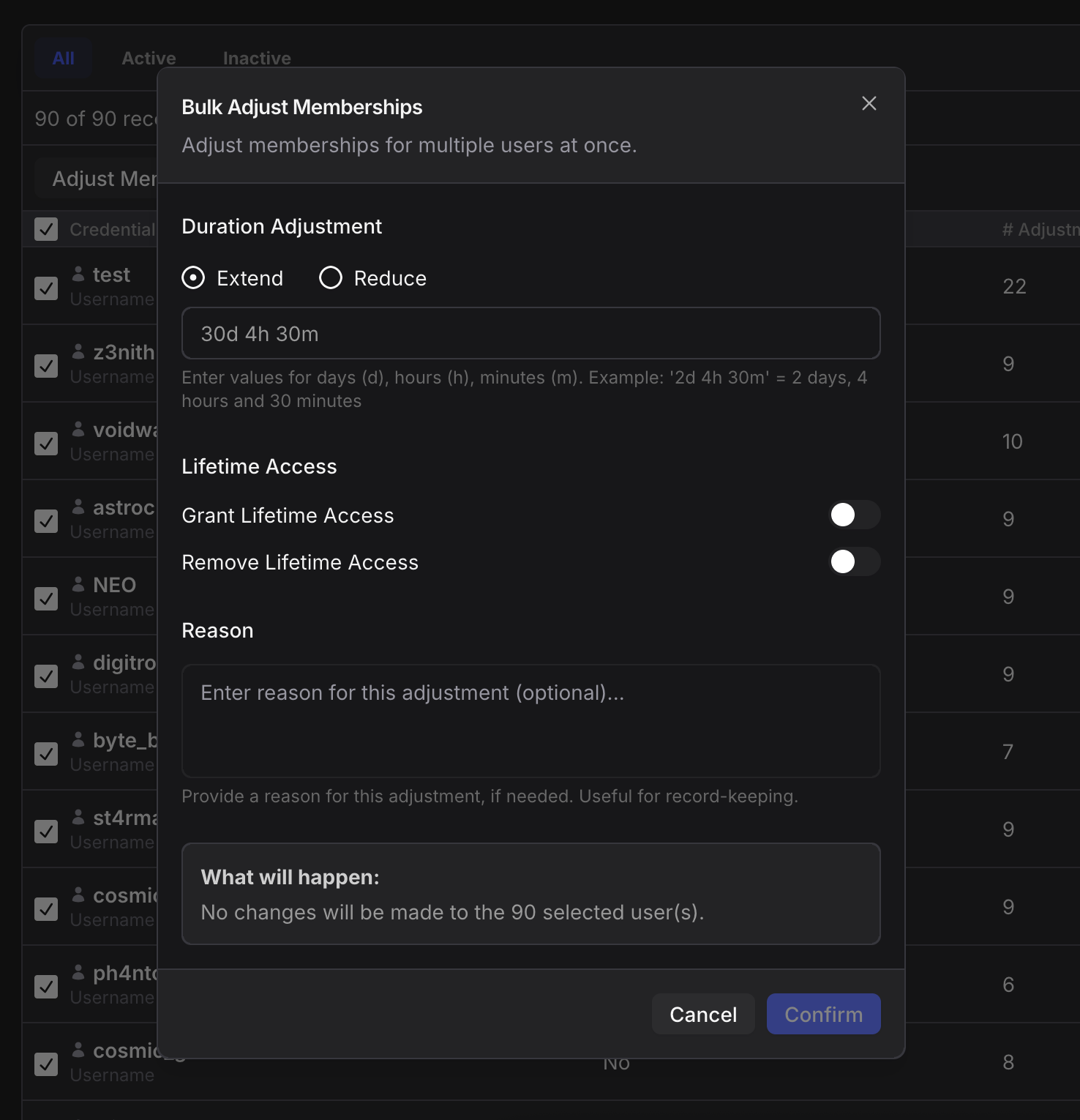
Duration Adjustments:
- Extend - Add time to memberships (e.g., “3d 4h 30m” = 3 days, 4 hours, 30 minutes). Useful for compensating downtime or giving bonuses
- Reduce - Subtract time from memberships (useful for refunds or corrections)
Lifetime Access:
- Grant Lifetime Access - Make memberships permanent for selected users
- Remove Lifetime Access - Revoke lifetime status and revert to time-based
Optional Reason:
- Add a note explaining why you’re making this adjustment (helps with record-keeping)
Important:
- You can’t extend/reduce duration and grant lifetime at the same time
- You can’t grant and remove lifetime access simultaneously
- Users who already have lifetime can’t be upgraded further (unless you remove their lifetime first)
Device Restrictions
Control how many devices a user can register:
- Number of Devices - Maximum number of devices this user can register
- Number of Simultaneous Sessions - Number of devices that can be logged in concurrently
When device authentication is enabled, users register their device (identified by hardware ID) automatically during sign-up, login, or license activation. This prevents account sharing and ensures user accounts are used on authorized devices only.
IP Address Tracking
Authgate automatically tracks all IP addresses that users connect from. This information:
- Powers the automatic cross-ban protection system
- Is displayed in the user details page for admin reference
- Updates automatically every time a user makes an authenticated request
IP addresses are tracked with a “last seen at” timestamp to show when each IP was most recently used.
Banning Users
You can ban users to immediately block their access to your application. See the Ban System documentation for details on how banning works and its automatic protection features.